Discount code checker for Shopify
See the discount your shoppers actually get, before the sale starts
CampaignCart QA adds your product to a cart, goes through guest checkout on desktop and mobile, applies your percentage code and records what checkout takes off. It stops before payment, so no order is ever placed.
- 3 free checks per store
- 7-day free trial on the paid plan
- Read-only access
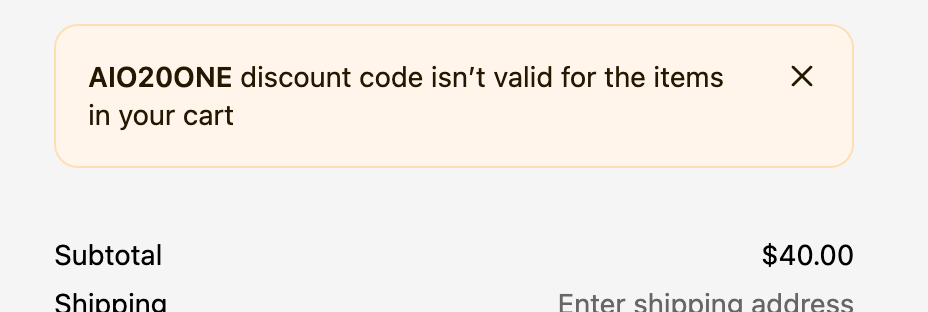
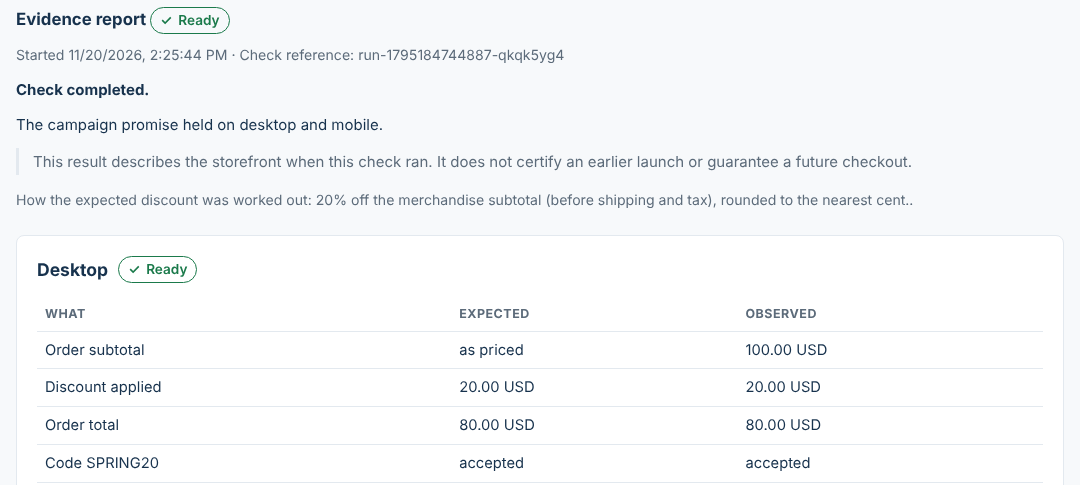
Report: example data, laid out as in the app. Checkout: a real Shopify checkout rejecting a code that doesn't cover the product in the cart.
A code can look fine in the admin and still fail at checkout
The discount is active and the percentage is right. Then a shopper tries it. These are real messages from a Shopify checkout on our test store, each caused by a setting that looked fine at a glance.
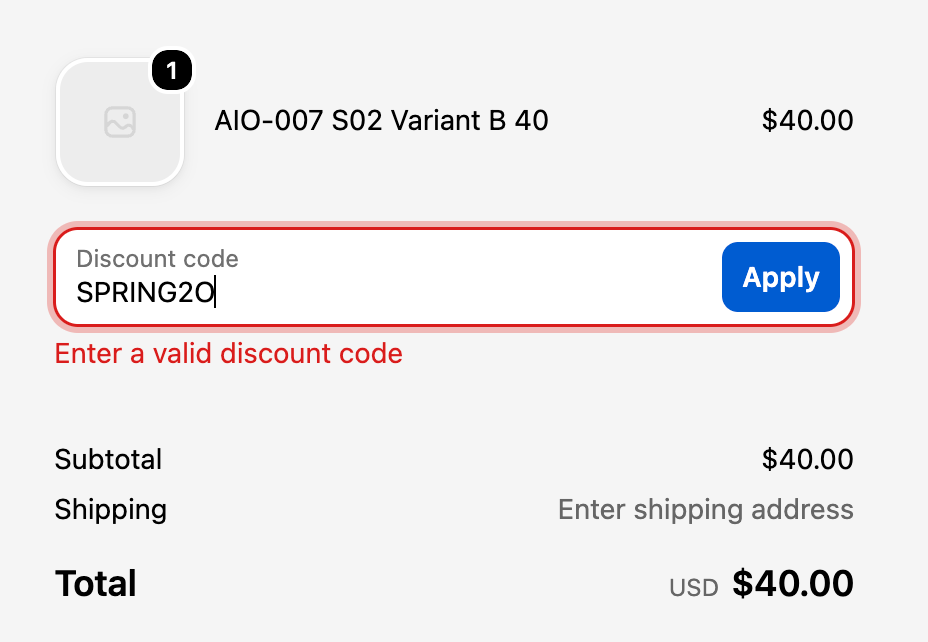
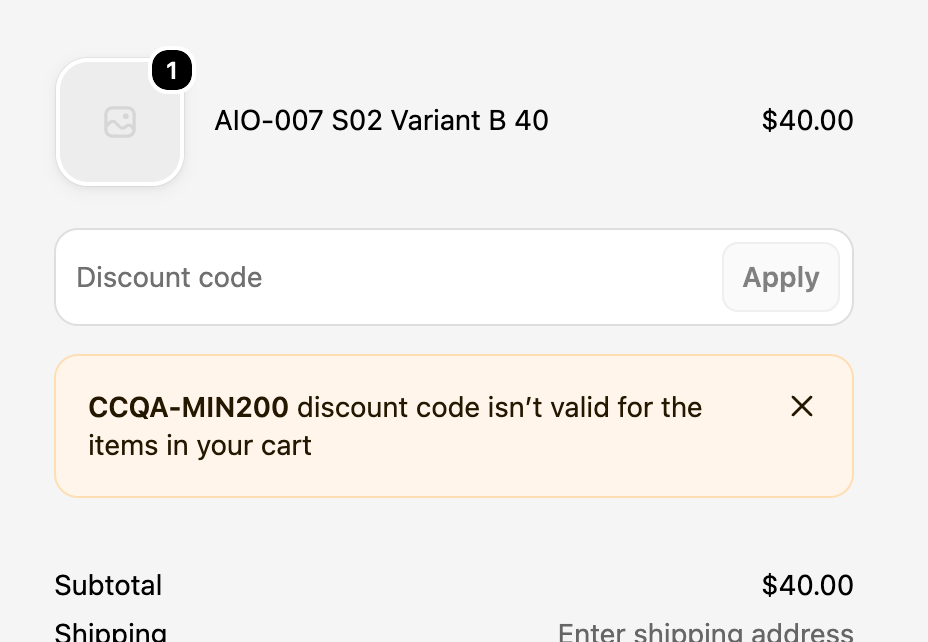
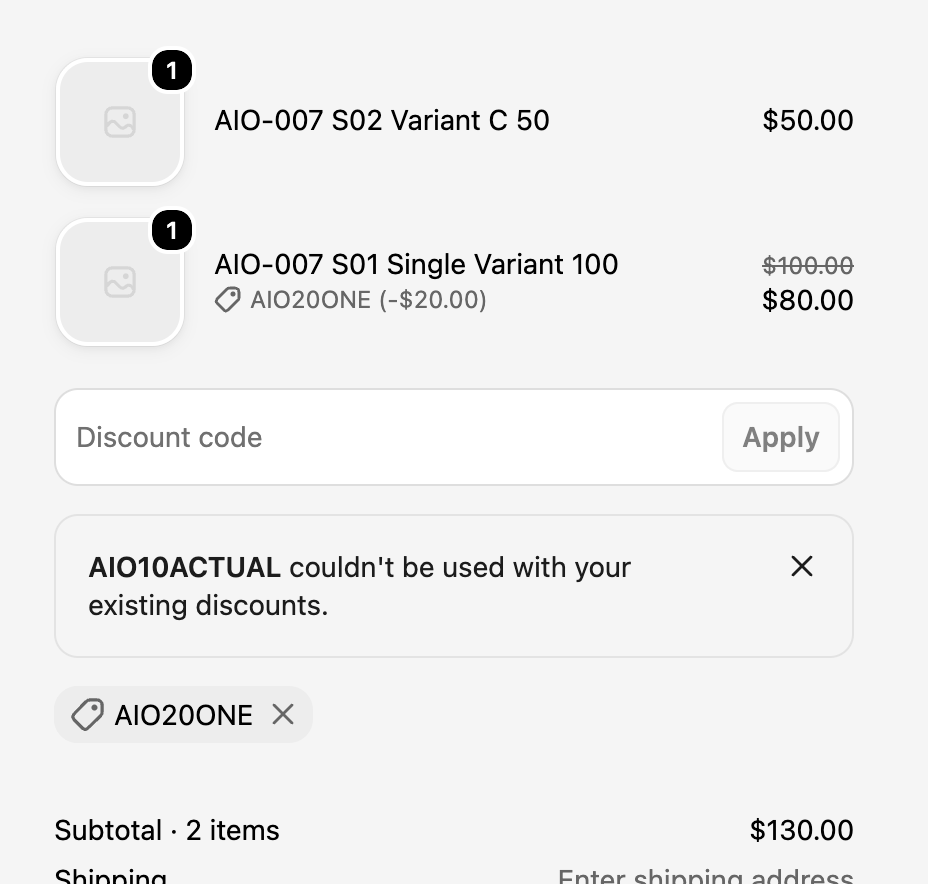
How the Shopify discount code checker works
Install
From the Shopify App Store. Read-only access to discounts, products and markets.
Describe the campaign
The percentage code, the product and variant shoppers will buy, and when the sale starts.
It shops as a guest
Product page, cart and checkout, on a desktop browser and on a mobile one. It stops before payment.
Read the evidence
Expected against observed amounts, an explanation and screenshots of each step.
A report you can show your team or your client
Each check gives you the subtotal, the discount and the total the checkout showed, next to what your offer promised, for desktop and mobile separately. The expected discount is worked out from the merchandise subtotal and rounded to the nearest cent, so a 10% shortfall can't hide.
On the Merchant plan, checks repeat 24 hours and 1 hour before launch, provided the campaign is set up in time, to catch last-minute edits.
What it checks today
Unlike a coupon code checker that only tells you whether a code exists, CampaignCart QA checks what the code actually does in a real checkout.
The code at checkout
Whether the code is accepted, and the amount taken off the merchandise subtotal compared with the expected amount, to the cent.
Desktop and mobile
Two separate journeys, because cart drawers and checkout layouts often differ on phones.
Honest results
When something can't be verified, the result says Review. An unverified check never becomes a pass.
Supported now: US storefronts in USD and English, percentage discount codes and one-time products. Shipping and tax aren't checked. If checkout already shows shipping or tax, the discount is still checked and shown, but the overall result stays Review.
Pricing
$0
- 3 lifetime checks per store
- Desktop and mobile journeys
- Amounts, findings and screenshots
$29 / month
- 7-day free trial
- Unlimited checks on one store
- Scheduled rechecks before launch
- Desktop and mobile journeys, amounts and screenshots
Billed by Shopify in USD. Cancel any time from your Shopify admin.
Questions merchants ask
Does CampaignCart QA place orders?
No. It goes through guest checkout on desktop and mobile and stops before payment. No order is created and no payment details are entered.
Which Shopify stores does it work with?
Today it supports US storefronts in USD and English, percentage discount codes and one-time products. Other markets, currencies and discount types are not checked yet.
What access does the app need?
Read-only access to discounts, products and markets. It never asks for access to your customers, orders or payments.
How much does it cost?
Every store gets 3 free checks. The Merchant plan is $29 a month with a 7-day free trial, and includes unlimited checks on one store and scheduled rechecks before launch.
What does a Review result mean?
Review means something couldn't be verified, such as a blocked page, a missing amount, or shipping or tax already showing at checkout. The discount is still shown, but the app never turns an unverified result into a pass.
Check your next campaign before it goes out
Install, enter one code and one product, and read your first report a few minutes later.
Install on Shopify