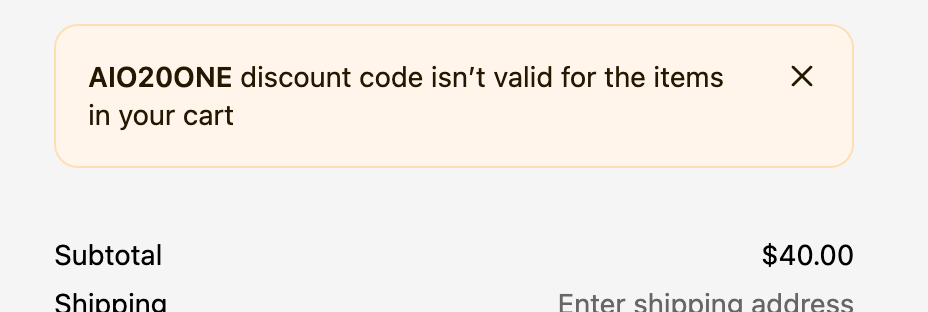
What the message means
The full message reads [CODE] discount code isn't valid for the items in your cart. The code is limited to specific products or collections, and none of the items in the cart are on that list.
Why it happens
- The product isn't in the collection. The discount applies to a "Black Friday" collection, and the product in the email was never added to it. Automated collections can also drop a product when its tags or price change.
- Only some variants were selected. The discount was set up for the blue medium. The shopper picked the green large.
- The product was added to the campaign late. The email went out with five products; the discount still lists the original four.
- The cart is below a minimum. In our test, a code with a $200 minimum on a $40 cart got this same message, with no mention of the minimum.
- A gift card is in the cart. Shopify says most discounts can't be applied to gift card purchases.
How to fix "isn't valid for the items in your cart"
- Open the discount and look at Applies to.
- If it's a collection, open the collection and check every promoted product is in it. For automated collections, check the conditions still match those products.
- If it's specific products, check every variant you sell is included, not just the first one.
- Check the discount's minimum purchase requirement against the size of cart your offer targets.
- Save, then add the exact product and variant from your email to a cart in a private window and apply the code.
If your offer really is "everything", an Amount off order discount avoids this problem entirely, because it applies to the whole cart rather than a product list.